Personalized Video Message from Santa 2026 – With Your Child’s Name + Ready Scripts
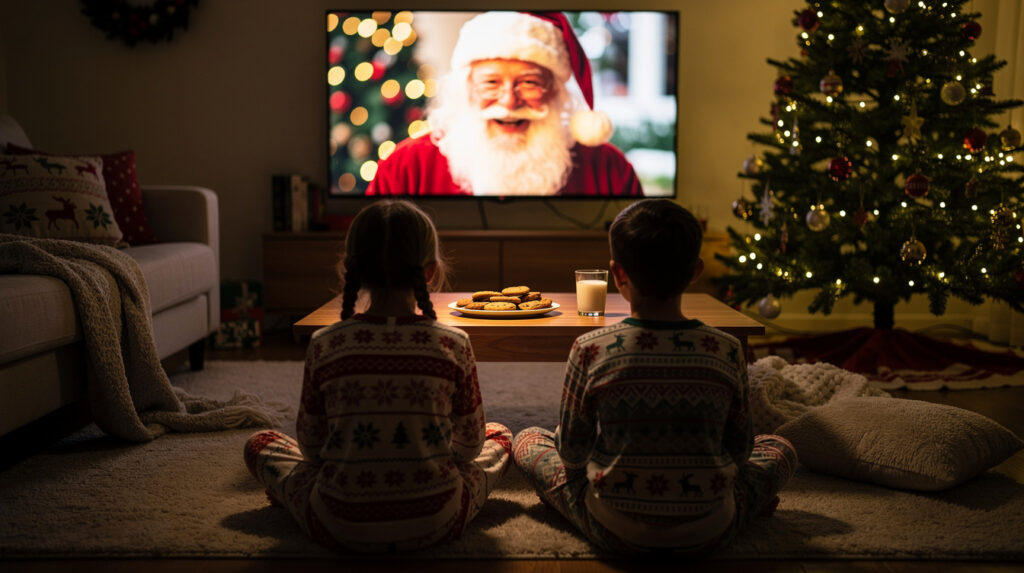
A personalized video message from Santa is a clip in which Santa Claus says your child’s name and the words you write for him. In Lovelio you type the message (or let the AI write it), choose Santa — realistic or cartoon — or one of six other Christmas characters, and in a few minutes you download an MP4 to play on the TV or send on WhatsApp. Santa videos come in the Standard pack at $6.99, with 2 videos inside. You don’t upload a photo of your child. Below: the steps, 11 ready-to-use Santa scripts (toddler, school kid, the kid who was “mostly nice”, a teen, your partner, coworkers, the whole family), when to send it — St. Nicholas Day or Christmas Eve — and finished examples of a Christmas card, song and Santa video.
When to send a video from Santa in 2026
Most families play a Santa video on Christmas Eve, Thursday, December 24, 2026 — as the bedtime “Santa is on his way” moment — or on Christmas morning, Friday, December 25, before the presents. Families with German, Dutch or Belgian roots often start earlier, on St. Nicholas Day, December 6 (a Sunday in 2026), when children put out their shoes the evening before. A video also works as an Advent “check-in” from the North Pole in early December, when you want a gentle nudge about bedtime or tidying up. Make it at least a day ahead: it is ready in minutes, but you will want to watch it once alone before the kids see it.
| Moment | 2026 | 2027 | What Santa can say |
|---|---|---|---|
| Advent “check-in” | Dec 1–23 | Dec 1–23 | “The elves are watching — keep it up!” |
| St. Nicholas Day | Sun, Dec 6 (shoes out on Dec 5) | Mon, Dec 6 | “Check your shoes in the morning!” |
| Christmas Eve | Thu, Dec 24 | Fri, Dec 24 | “I’m leaving the North Pole now — off to bed!” |
| Christmas morning | Fri, Dec 25 | Sat, Dec 25 | “Did you find what I left under the tree?” |
How a Santa video message works (and how it differs from Portable North Pole)
A Santa video message is made in one of three ways — compared in the list below. Lovelio is the script-to-avatar kind, built for one holiday message rather than a whole production. It has eight Christmas characters — Santa Claus (realistic), Cartoon Santa, Mrs. Claus, The Elf, The Snow Maiden, The Reindeer, The Snowman and The Gingerbread Man — and each speaks your text in a warm voice straight to the camera, in English or another language such as Spanish or German for the grandparents. What it does not do: there is no sleigh ride, no changing scenery and no plot. The magic is in what Santa says — that he knows about the soccer goal, the new baby brother, the letter your child wrote. Cartoon Santa and the animal characters suit toddlers who might be unsettled by a realistic face. Characters for birthdays and other occasions are on the AI video wishes page.
Watch: Santa says Emma’s and Leo’s names
Both videos below were made in the app from a typed message — no actor, no recording session. On the left is the realistic Santa, for kids who have started asking whether he is real; on the right Cartoon Santa for toddlers and preschoolers. Each one says the child’s name and the details you typed, with lips moving to the words.
Santa tells Emma: “I got your letter, and I loved your drawing. I hear you’re reading chapter books all by yourself now. That makes me very proud. The reindeer say thank you for the carrots.” A name and one real detail from the year is all it takes — make a video message from Santa.
Santa video options compared: templates, AI avatars and human actors
- Template videos (Portable North Pole): filmed footage of Santa’s village with your child’s name, age and photos dropped in at set moments. You choose from ready scenarios, not the words. Free trial videos are usually available until December 19; premium videos are paid.
- Script-to-avatar tools (Lovelio, Synthesia, HeyGen, CreatorKit): you type exactly what Santa says and an AI avatar speaks it with moving lips. Ready in minutes; no photo of the child needed. Lovelio: the Standard pack at $6.99 holds 2 videos.
- Human Santa actors (hired on marketplaces): a real person in costume records your script. The most “real”, but usually delivered in days rather than minutes and priced per clip.
- Phone calls from Santa: some apps call a real phone number with a recorded or live Santa voice — audio only, no video.
How to make a personalized video from Santa (5 steps)
- Open the Santa video maker — Christmas is already selected. Sign in with Google, Facebook or e-mail.
- Pick a character: realistic Santa Claus for school kids, Cartoon Santa, the Reindeer or the Snowman for little ones, Mrs. Claus or the Elf for a change.
- Write the message or let the AI write it from a few details: the child’s name, age and two or three things that happened this year. Use one of the scripts below as a starting point.
- Generate. The character reads your words aloud with a matching voice and lip movement; the video is ready in a few minutes. Videos come in packs — the Standard pack ($6.99) holds 2 videos, the Premium pack ($13.99) holds 4.
- Download the MP4 and play it on the TV, a tablet, or send it on WhatsApp, iMessage or Messenger. It is your file — you can play it again next year.
What a great message from Santa includes
- The child’s name, early and twice — once in the greeting, once at the end. Use the name they actually go by (“Bella”, not “Isabella”).
- One specific achievement from this year: learning to ride a bike, a kind thing at school, a brave visit to the dentist. This is what makes kids believe Santa really knows.
- One gentle nudge, if you want — bedtime, sharing, tidying up — framed as “the elves noticed”, never as a threat to cancel Christmas.
- A North Pole detail: Rudolph, Mrs. Claus, the cookie plate, the elves’ list.
- No specific gift promise. Say “I read your letter” rather than “you’re getting the bike” — in case the bike is sold out.
Privacy: what you share (and what you don’t)
- You don’t upload a photo of your child. Santa’s face is a ready-made character; the only personal information is the text you type.
- Stick to a first name — skip surnames, the school’s name and your town. Santa doesn’t need them to sound convincing.
- The finished video is downloaded to your device as an MP4; you decide who gets it. Sending it in a private chat is safer than posting it publicly.
Ready-to-use Santa scripts (copy, change the name, paste)
For a toddler (ages 2–4)
Short sentences, one big piece of praise, and a character that isn’t scary — Cartoon Santa or the Reindeer often work better than a realistic Santa at this age.
- Ho ho ho! Hello, Mia! It’s Santa, all the way from the North Pole. I heard you learned to brush your teeth all by yourself this year. That is a very big-girl thing to do! The reindeer and I are getting ready for Christmas Eve. Go to sleep early, and I’ll see you very soon. Merry Christmas, Mia!
- Hi, Leo! Santa here. Rudolph told me your favorite word this year is “truck”. That’s one of my favorites too! Be gentle with your baby sister, give Mommy a big hug, and leave one cookie for me. Merry Christmas, little buddy!
For a school kid (ages 5–9)
This is the age when the details matter most: three specific things from the year make Santa believable.
- Hello, Ethan! Santa here. The elves keep a list, and your name came up three times this year: for learning your times tables, for sharing your snack with a new kid at school, and for that soccer goal in October. I’m proud of you. Get a good night’s sleep on Christmas Eve. Merry Christmas!
- Ho ho ho, Ava! Mrs. Claus read me your letter twice. She loved your drawing of the reindeer. Keep reading every night, keep being kind to your brother, and remember: I’ll be checking the cookie plate. Merry Christmas from the North Pole!
For the kid who was “mostly nice”
Be honest, kind and forward-looking. Santa notices the apology, not just the mischief — and never threatens the coal.
- Hello, Noah. Santa here. I’ll be honest with you: this year you were mostly nice. There was that business with the cat and the markers. But I also saw you say sorry, and you meant it. That counts for a lot up here. Keep it up until Christmas Eve, okay? Merry Christmas, Noah!
- Ho ho ho, Lily! The elves tell me you’ve had a few grumpy mornings. Everyone does, even Santa. But you’ve been a wonderful helper with the dishes lately, and I noticed. Let’s finish the year on the nice list together. Merry Christmas!
For a teen (with humor)
Teens know. Lean into it: Santa winks at the fact they stopped believing and says something genuinely proud anyway.
- Hey, Jake. Santa here. I know, I know — you stopped believing in me around 2019. That’s fine, I still believe in you. Fourteen, taller than your mom, and still the first one to help Grandpa with the groceries. Good job. Now please get off your phone and come to dinner. Merry Christmas!
- Emma, it’s Santa. Officially, you’re too old for this message. Unofficially, your parents asked me to tell you how proud they are of your first year of high school. Also, the elves want their Wi-Fi password back. Merry Christmas!
For adults: your partner
A Santa video for a grown-up is a love note with a costume on. Let Santa deliver the thank-you you never quite say out loud.
- Ho ho ho, Sarah. Santa here. I’ve checked my list twice and I can confirm: you are Daniel’s favorite person on the planet. He says thank you for this whole year — the move, the late shifts, the pancakes. Merry Christmas, and please, let him win at Monopoly just once.
For adults: coworkers and the team
Use the realistic Santa or the Elf, keep it light, and name real wins from the year. Play it at the holiday party or post it in the team chat.
- Ho ho ho, everyone at the Denver office! Santa here. My elves ran the numbers: you shipped two launches, survived one printer meltdown and drank 4,000 cups of coffee. That’s nice-list material. Thank you for a great year — enjoy the holidays, and switch off those laptops. Merry Christmas!
For the whole family group chat
Name everyone, one line each — it is the clip people forward to the cousins who couldn’t make it.
- Merry Christmas to the whole Johnson family! It’s Santa. Grandma Rose, thank you for the cookies — best on my route. Mike, Kate, you made it home from Chicago, well done. And Tommy and Grace: lights out early tonight, I’m on a tight schedule. Love you all. Ho ho ho!
Add a card from Santa
A video is for watching; a card can be printed and left by the tree or in a stocking. This one came out of the app as is — Christmas, the Cozy Fireplace style and two lines “from Santa”. The AI letters the words into the picture, so there is nothing to lay out yourself.
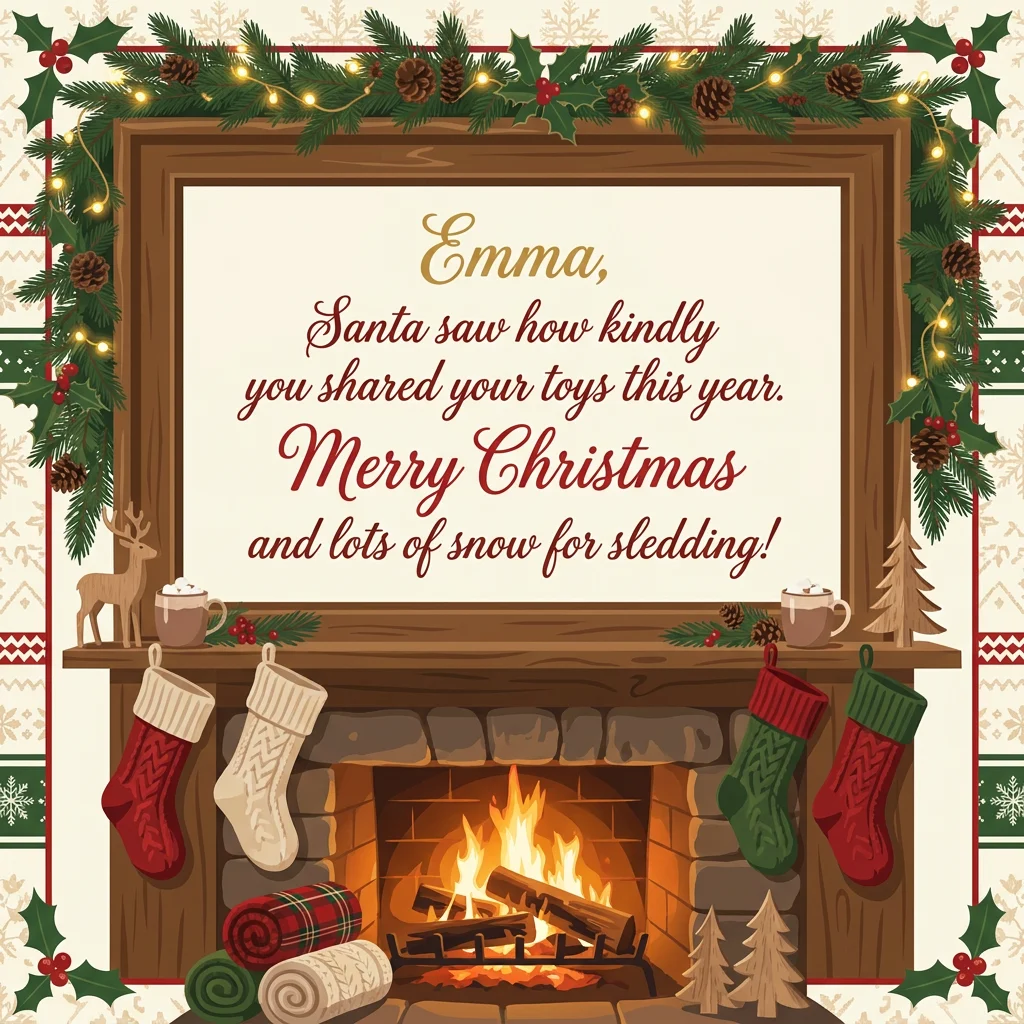
Make one in the Christmas card maker.
Or a Christmas song with the child’s name
A third surprise: a song where the child’s name and their year are in the lyrics. This one was made for seven-year-old Emma — a letter asking for a puppy and snow on Christmas Eve, chapter books, carrots for the reindeer — in the Funny mood. The AI wrote the lyrics and sang them.
The chorus: “Snowflakes and puppy paws / Joy needs no grand applause / Emma, our Christmas star / Shine brightly where you are.” Make your own in the song maker.
How to send and play a Santa video (TV, WhatsApp, Christmas morning reveal)
On the TV: download the MP4 to your phone and cast it with AirPlay or Chromecast, or copy it to a USB stick — a life-size Santa on the big screen is the moment kids remember. On WhatsApp, iMessage or Messenger: send the MP4 as a regular video, which is how grandparents and relatives far away usually receive it. For a Christmas morning reveal: have the video ready before the kids wake up, hide one present that Santa “mentions”, and press play before anyone opens a box. On Christmas Eve: play it right after the NORAD Santa Tracker (NORAD has followed Santa’s route every Christmas Eve since 1955) shows him getting close — “he’s on his way, time for bed”. Make one video per child if you have more than one; a sibling noticing that Santa only spoke to the other kid is a tough Christmas Eve. If you’d rather send words, see our Christmas messages for family, friends and coworkers, or write one with the AI wish generator, which costs nothing to use.
Frequently asked questions
Is a video message from Santa free?
Writing Christmas wishes with the Lovelio AI wish generator is free and unlimited, but the Santa video itself is paid: it comes in the Standard pack at $6.99, which holds 2 videos (about $3.50 per video). The welcome credits on a new account are not enough for a video. Some other services offer free trial videos with a fixed script; with Lovelio you pay for the video and Santa says exactly what you wrote.
How do I get a personalized video from Santa with my child’s name?
Choose a Santa video maker, type a message that includes your child’s name and a few details from the year, pick the character and generate. In Lovelio the video is ready in a few minutes and you download it as an MP4.
What should Santa say in a video message?
Use the child’s name twice, praise one specific thing they did this year, add a North Pole detail (Rudolph, the elves, the cookie plate) and end with a gentle reminder, such as going to bed early on Christmas Eve. Avoid promising a specific gift.
Do I have to upload a photo of my child?
No. In Lovelio Santa is a ready-made character and the only thing you provide is the text. Template services such as Portable North Pole can insert your child’s photos into the scene; that is optional there, and a choice worth thinking about.
Can I get a call from Santa instead of a video?
Lovelio doesn’t place phone calls — it makes a video you can play like a video call from the North Pole. Portable North Pole offers recorded and live calls to a real phone number if a ringing phone is what you’re after.
Can I make a letter from Santa?
Yes — ask the AI wish generator for a letter-style Christmas message, print it on nice paper, or turn it into an illustrated Christmas card (3 credits). Many parents use the same words for the letter and the video.
How long does it take to make a Santa video?
Writing the message takes a couple of minutes; generating the video takes a few more. You can make it on Christmas Eve itself, but doing it a day early lets you watch it once before the kids do.
Can I make a Santa video for each of my kids?
Yes, and it is worth it — each child hears their own name and their own year. A Standard pack ($6.99) holds 2 videos — one each for two kids — and a Premium pack ($13.99) holds 4, enough for a bigger family.
Can Santa speak Spanish or another language?
Yes. Choose the language of the message before generating and Santa speaks it — handy for sending to Abuela or for families who celebrate in two languages.
Is the Santa voice AI?
Yes. The voice and the lip movement are generated by AI from your text. That is why Santa can say any name correctly — spell it the way it sounds if it is unusual.
Is it too late for a kid who doesn’t believe anymore?
Not at all. Older kids and teens enjoy a Santa who is in on the joke — see the teen scripts above. Adults get Santa videos too: from a partner, for the office party or for the family chat.
When should I send it: St. Nicholas Day or Christmas Eve?
Both work. St. Nicholas Day falls on Sunday, December 6, 2026; Christmas Eve on Thursday, December 24, 2026. A video on December 6 can kick off the season; one on Christmas Eve sends the kids to bed excited.
Make your Santa video message →
See also: Christmas messages, AI video wishes, AI wish generator, Thanksgiving messages.